
Accept an invitation
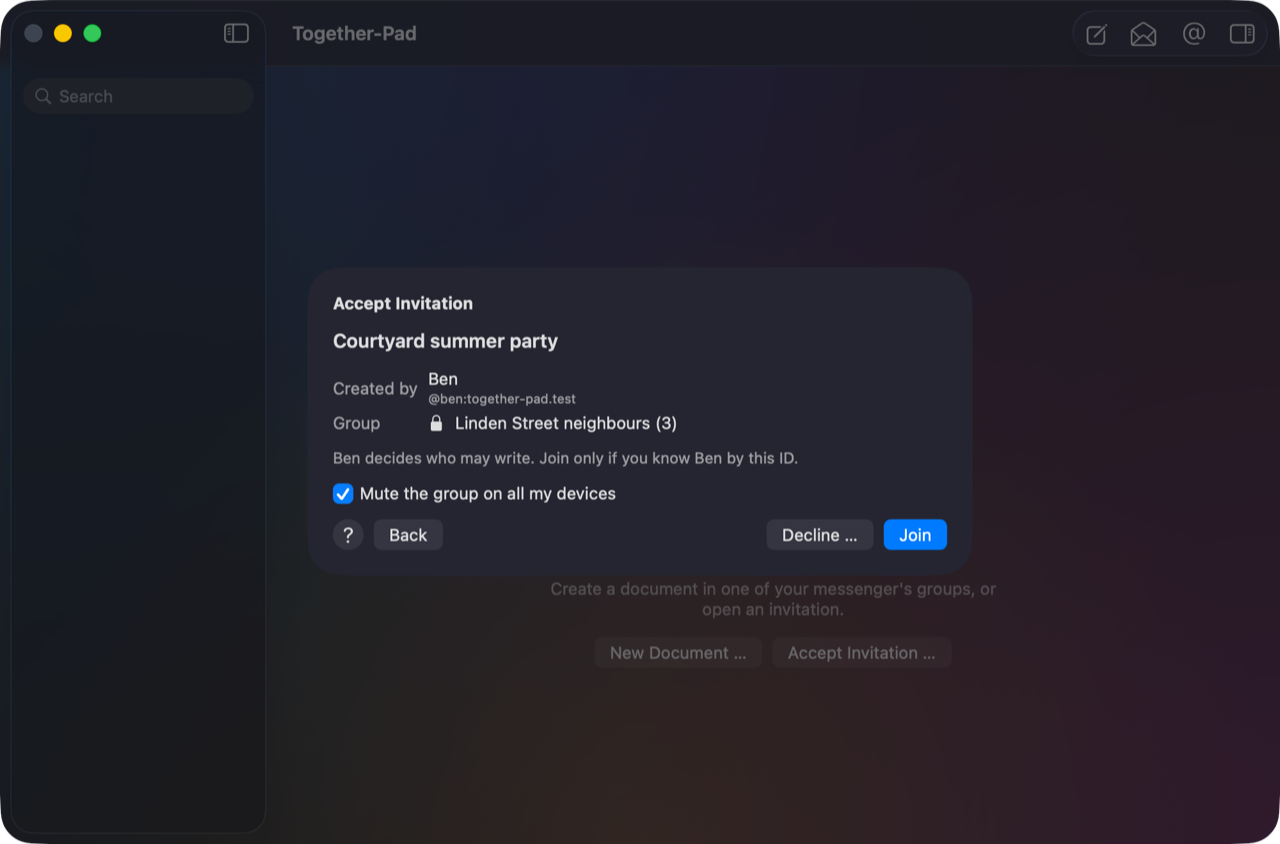
Click the invitation link in your messenger. Together-Pad opens and shows you the title, who created it and the group. Click Join and you're in.
If Together-Pad doesn't open, copy the link and choose File → Accept Invitation … (⇧⌘O). There you can also look for invitations in a group.
Muting or declining
Before you join, you can mute the group on all your devices (on by default). Otherwise your phone may report every change to the document as a new message. With Signal, mute the group in Signal itself.
With Decline … you say no, with a sentence if you like; the person who invited you sees it.
Deciding later or ignoring
If you close the invitation without joining or declining, it waits in the sidebar under Invitations. Ignore takes it off the list without telling anyone; Edit → Undo (⌘Z) brings it right back. Later you get it back with the link or with File → Accept Invitation … → Search in a Group. Only documents go to the Trash.