
Create a document and invite
Choose File → New Document … (⌘N).
- Enter a title.
- Choose a group of your messenger – or create a new one and pick its people.
- Decide who may write and who may only read.
- Click Create.
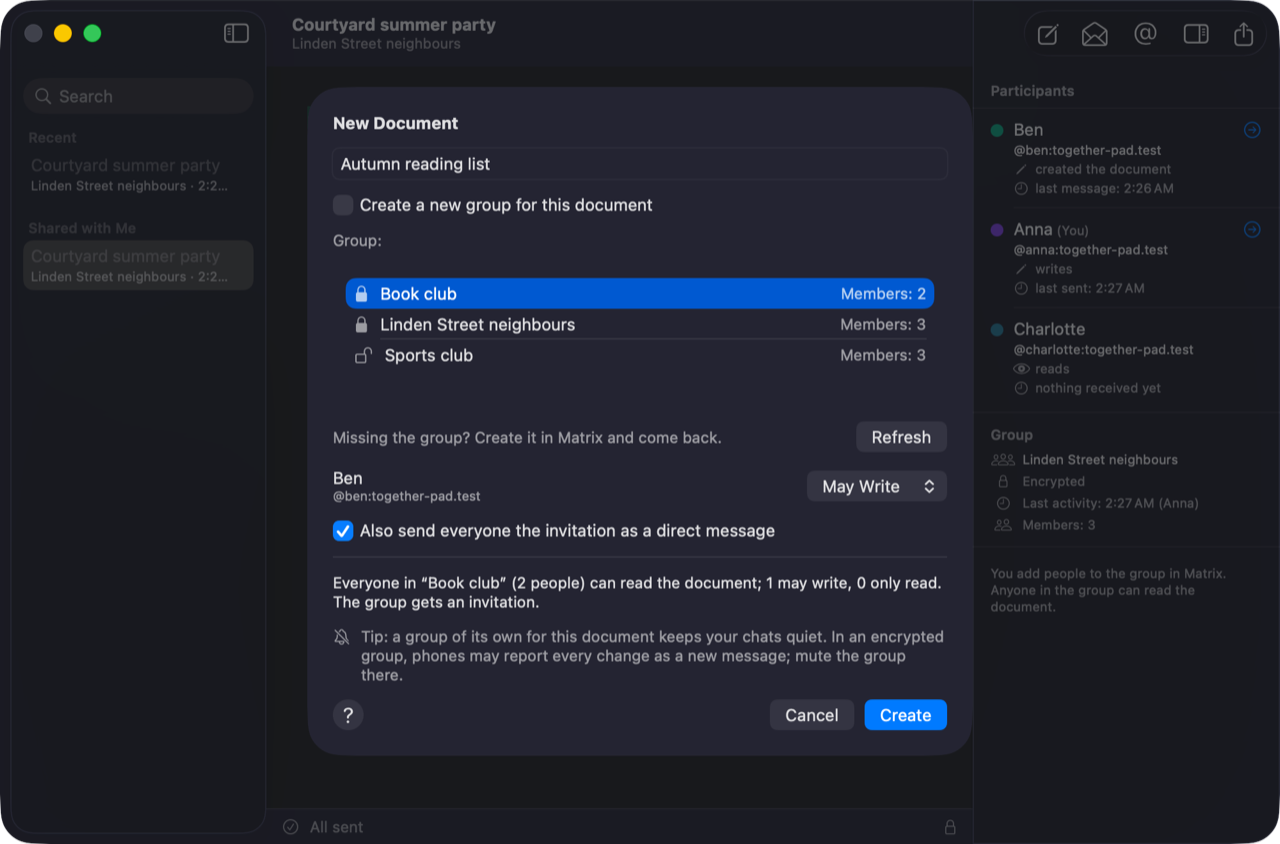
Together-Pad sends the invitation into the group, and if you like also as a direct message to each person. The invitation is a link; anyone with Together-Pad opens the document with it.
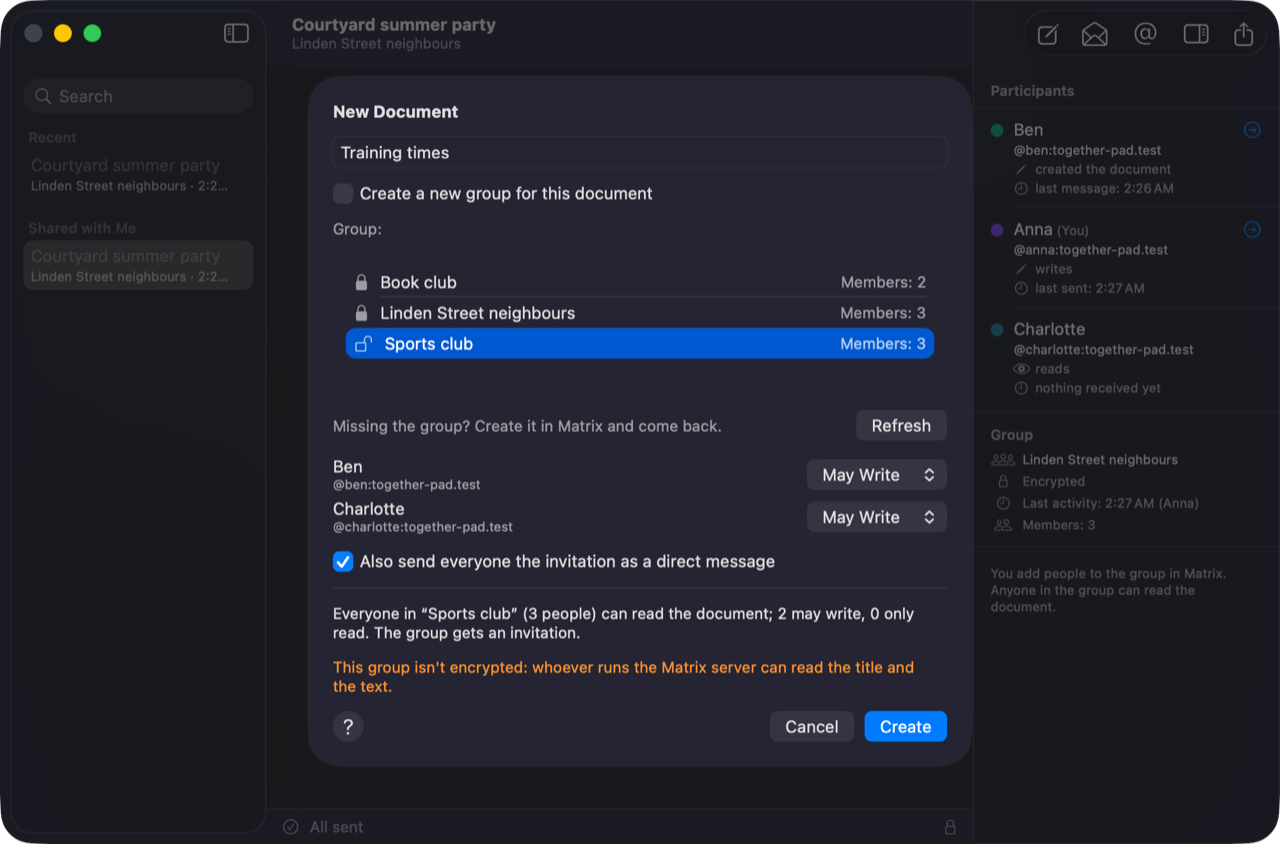
An existing or a new group
A document belongs to exactly one group of your messenger; whoever is in the group is invited.
- Existing group: all its members are listed; you only choose their right. If the group is missing, create it in the messenger and click Refresh.
- A new group for this document: tick the people who should be in it, or enter more. Together-Pad creates it in the messenger, encrypted, with the title as its name.
The lock next to a group shows whether it is encrypted. Also send everyone the invitation as a direct message (on by default) also sends it into your direct chat with each person; if there is none, Together-Pad starts one.
People who join later
When someone joins the group in your messenger, they may only read at first. You decide with one click whether they may write. Adding or removing people happens in the messenger.