
Settings
Open Together-Pad → Settings … (⌘,).
General
- New documents in: the messenger New Document starts with, while it is connected.
- Show Author Colors and the editor's text size.
Accounts
Your accounts are on the left; + connects another messenger. On the right:
- Account: sign in, sign out, confirm this Mac (Matrix).
- Sending: how often documents you create send changes (next section).
Sending
Together-Pad doesn't send every keystroke on its own; it gathers changes and sends them as a message into the group. How often is set per messenger: choose the account on the left and Sending on the right.
- Standard: right for most. Matrix sends at most one message a second, Signal at most one every two seconds.
- Constrained: less often, for a slow connection or a strict server. Matrix at most every five seconds, Signal every ten.
- Own Values: choose the five values yourself, see below.
The choice applies to documents you create from now on, for everyone in them. Documents you already have keep how they send.
Own values
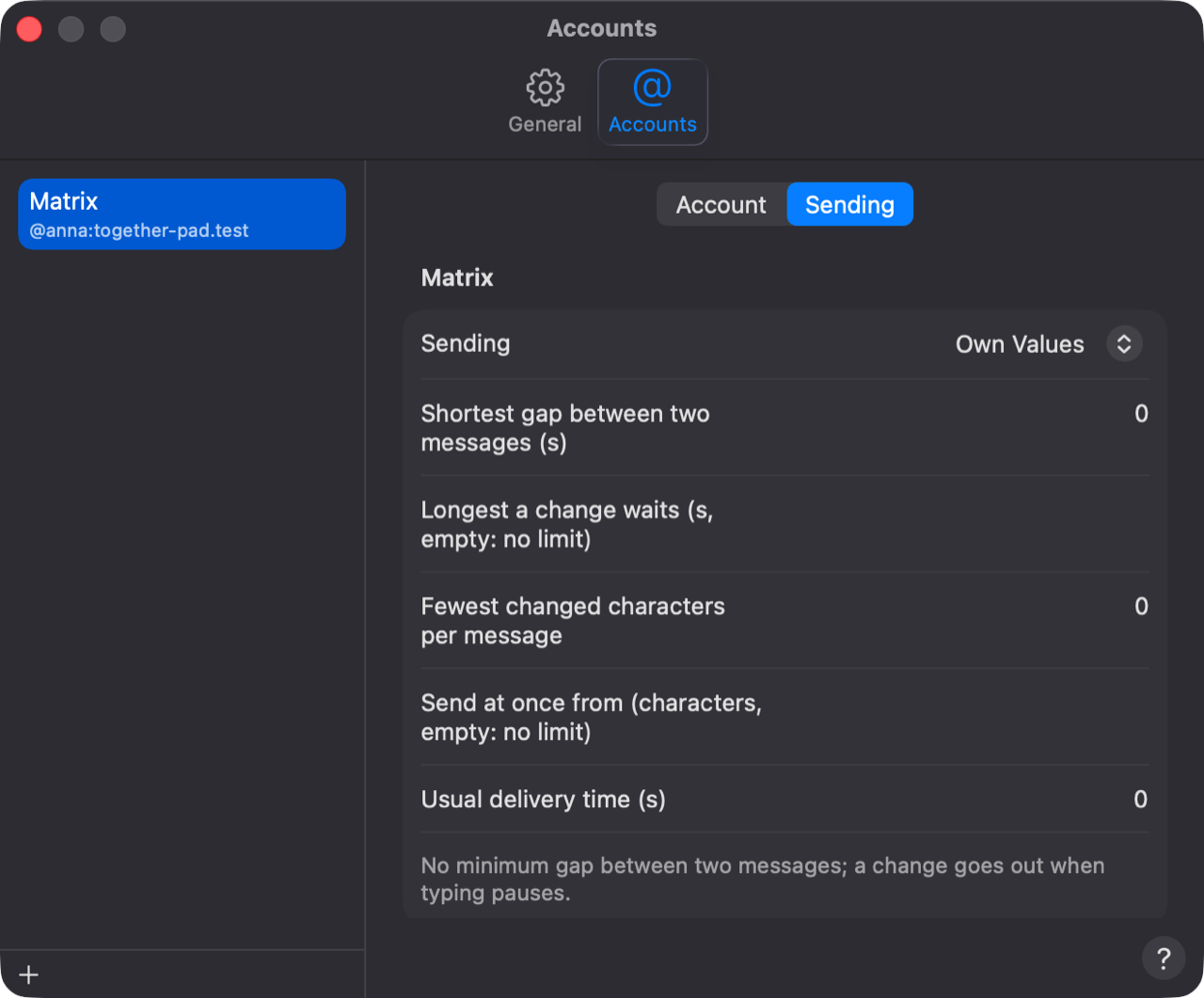
- Shortest gap between two messages: no two messages go out closer together. Each messenger has a floor; a smaller value is raised to it.
- Longest a change waits: a change goes out by then at the latest, even while you keep typing. Empty: it goes out when you pause.
- Fewest changed characters per message: smaller changes wait until more come together or the longest wait is over.
- Send at once from: from this many changed characters the message goes out as soon as the gap allows. Empty: no limit.
- Usual delivery time: how long a message normally takes. The others' Together-Pads use it to notice that something is missing and catch up.
Signal: keeping sent messages
Signal recommends keeping sent messages for a day: if someone's device couldn't decrypt a message, it gets it again. For that, the changes and invitations of the last day stay in Signal's data on your Mac. You can turn this off under Accounts → Signal → Account; it takes effect the next time Together-Pad starts.